Struqo
Browser-based timber construction planner: 2D plans, 3D model, bill of materials
Process
Why This Exists
Struqo is a personal project that sits at the intersection of my two backgrounds: architecture and digital product design. Wood frame construction is growing in Europe, but the planning tools available to small builders and self-builders are either oversimplified or require expensive CAD licenses. I wanted to build something useful for that gap.
More practically: this project is a testbed for building a real product with AI as the primary development partner. Every line of code was written with Claude Code. The question I set out to answer: how far can one person go with AI, domain knowledge, and a clear product vision?
What It Does
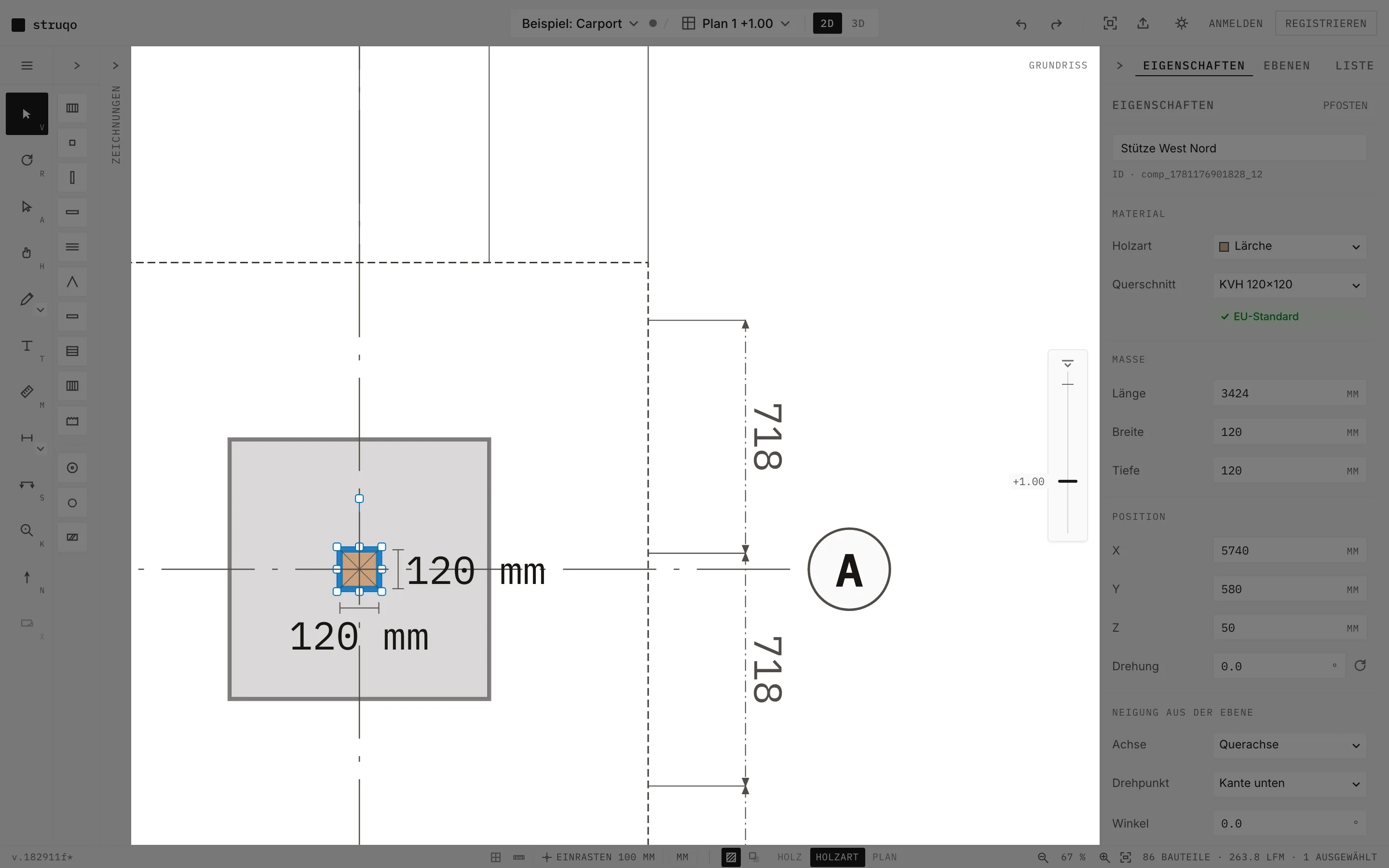
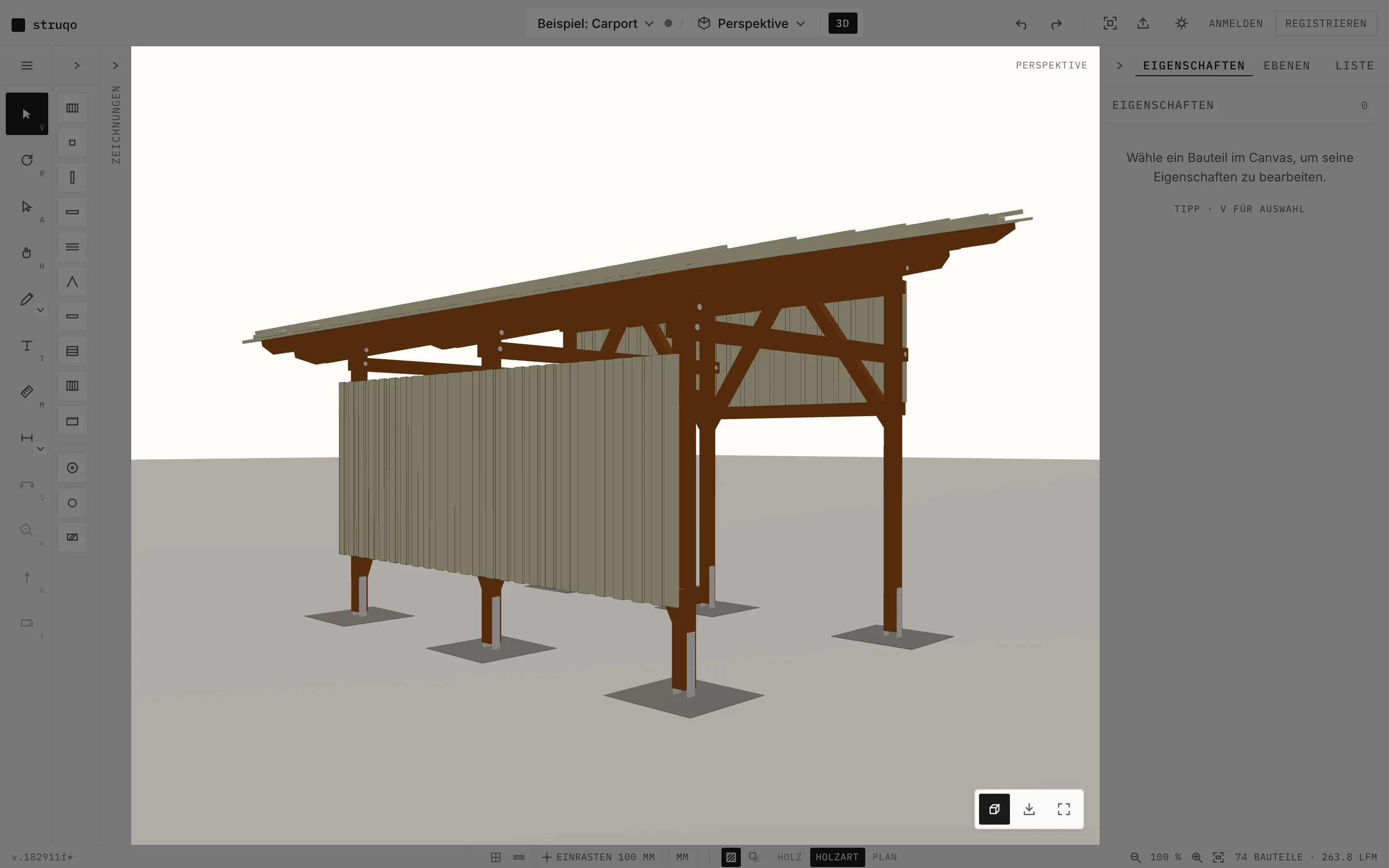
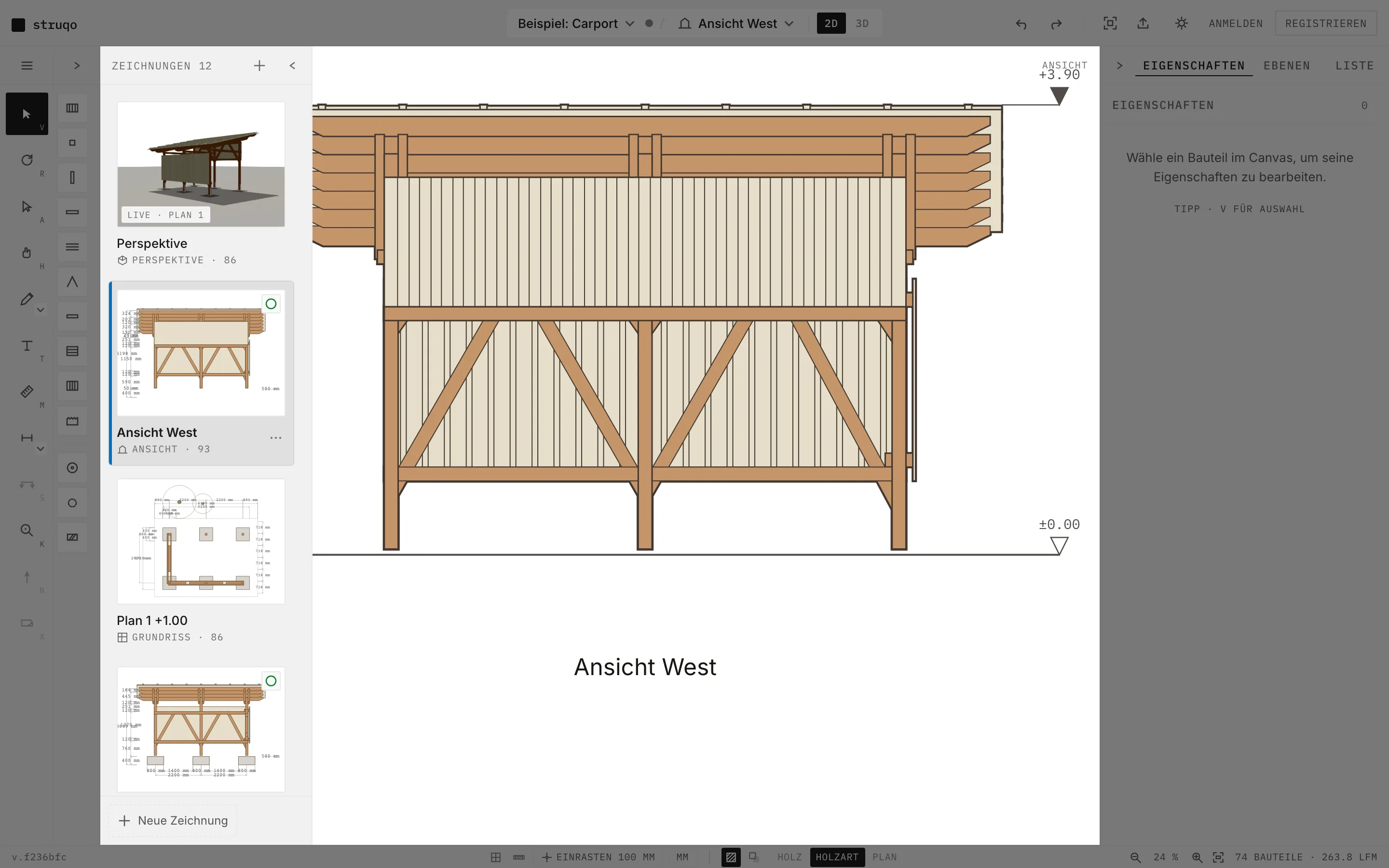
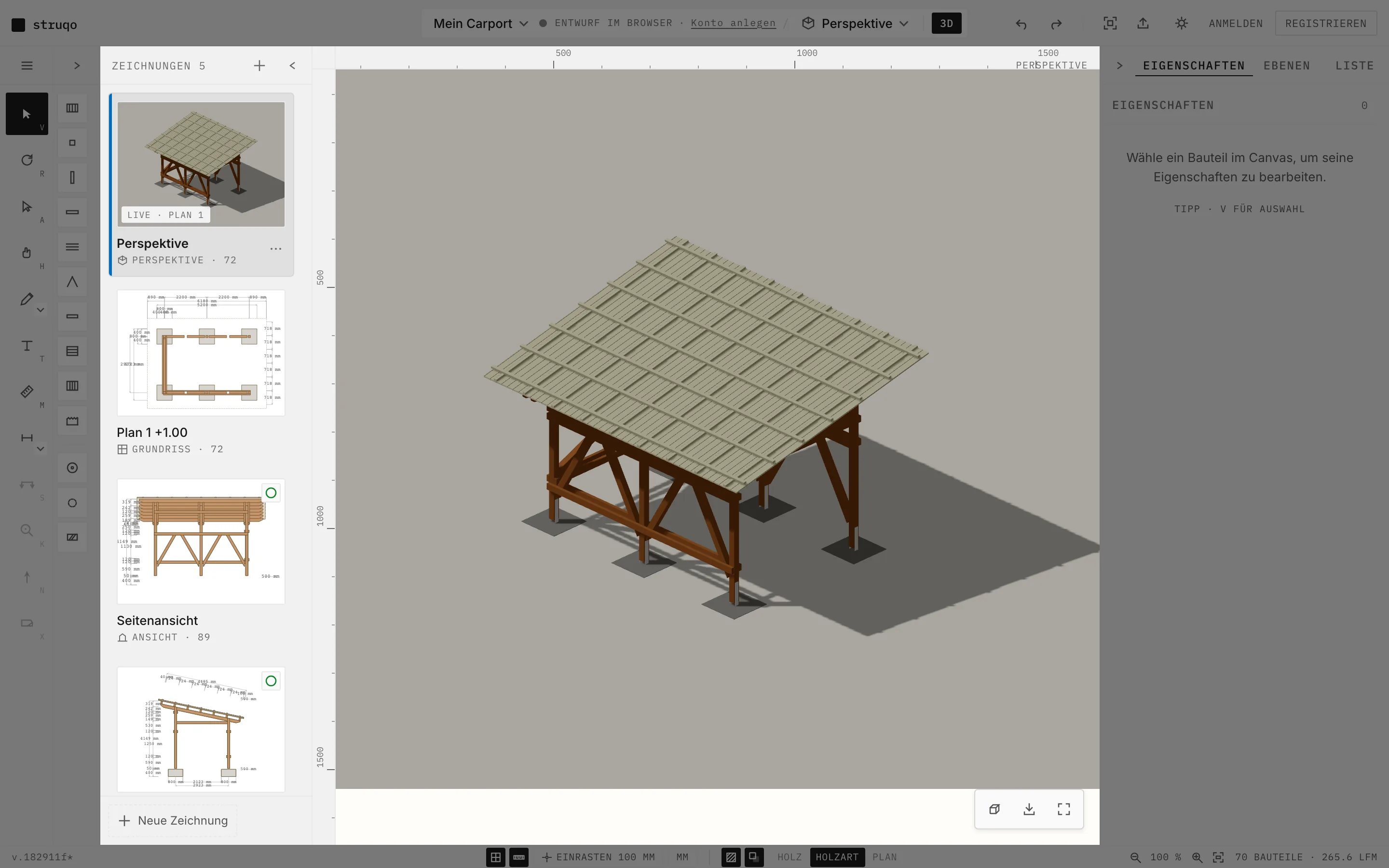
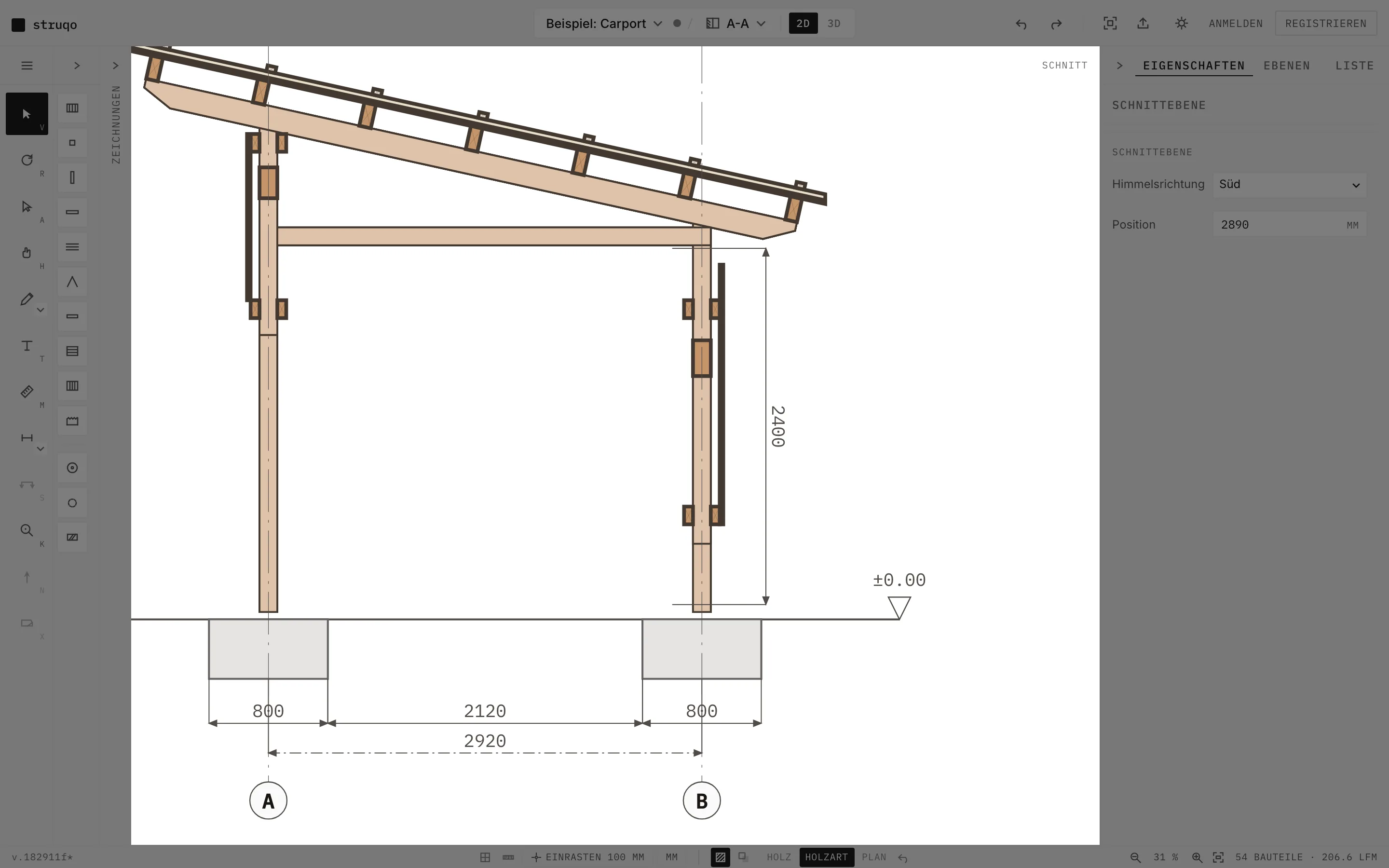
Struqo is a design tool for small timber structures: carports, sheds, terraces. You draw in a floor plan, place posts, beams, rafters, studs, cladding and roofing, choose a wood species, and the model exists once. Every other drawing derives from it: elevations, sections and detail sheets live in one project, listed in a drawings panel on the left. Dimensions are added automatically. A north setting on the project drives the compass directions of elevations and sections, and each sheet carries its own scale.
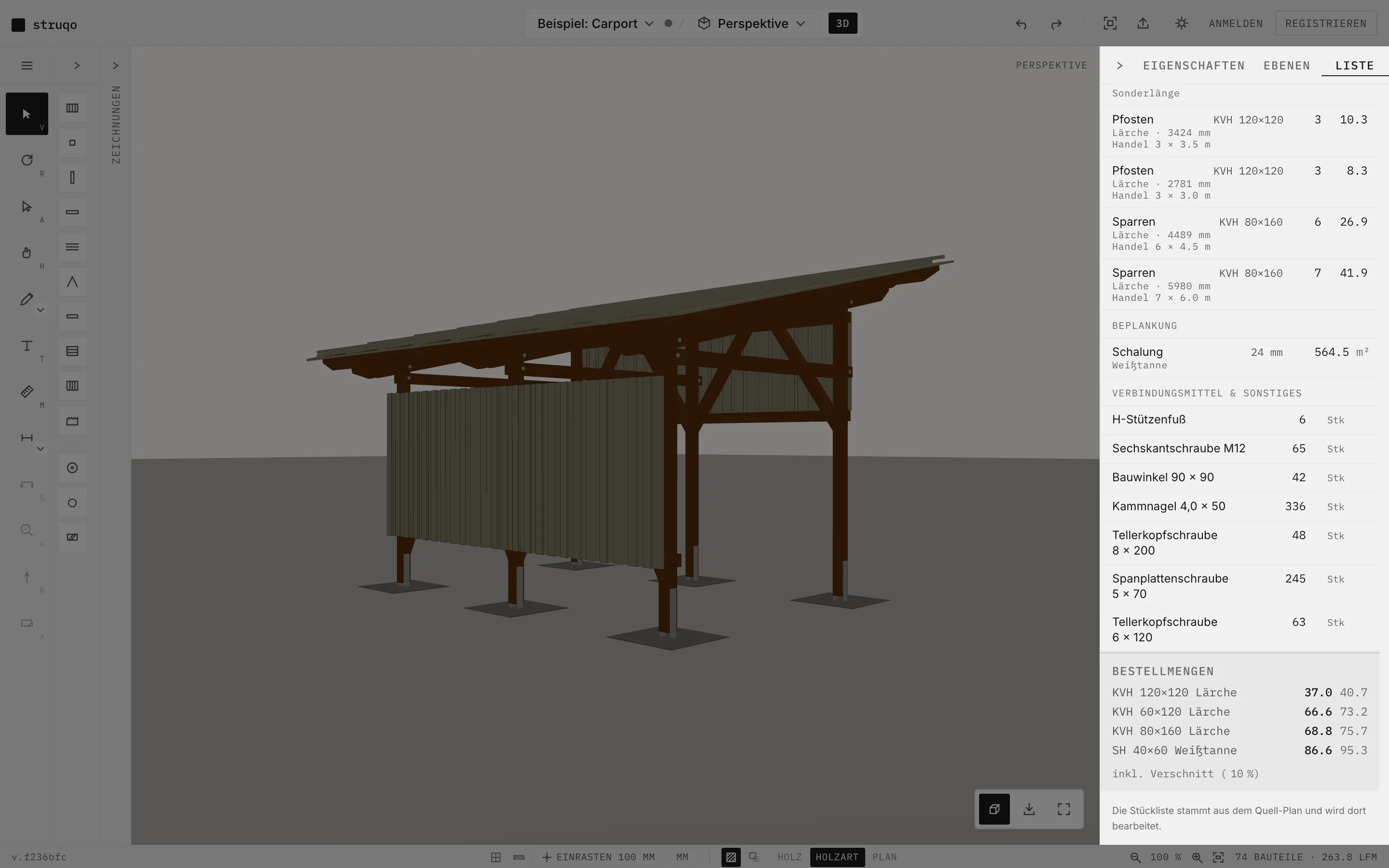
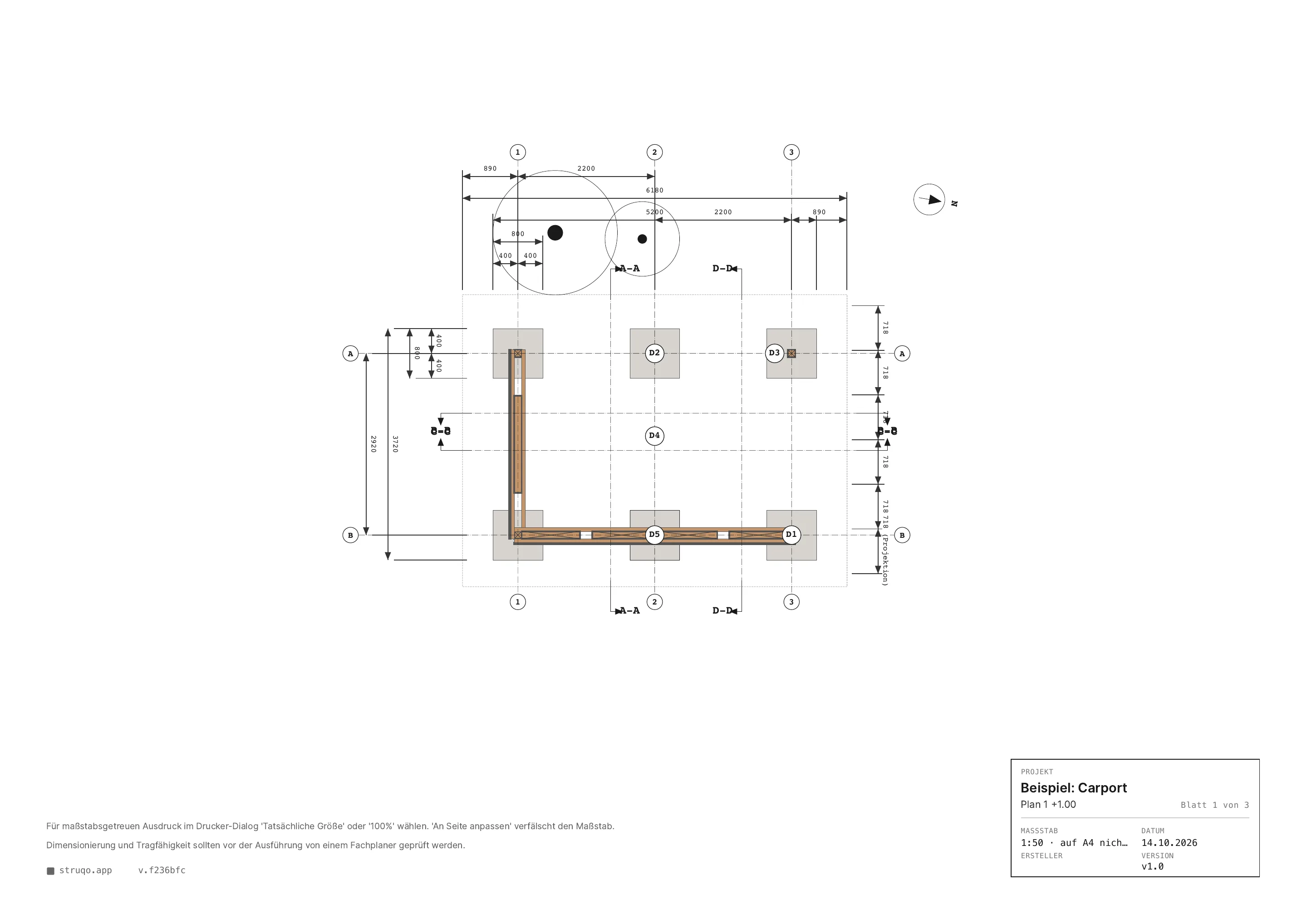
The wood species shows the same way in 2D, 3D and print. The bill of materials is generated from the drawing and lists cross sections, cut lengths and fasteners, with subtotals per cross section, exportable as PDF or CSV. The plan set prints as a multi-page PDF with a title block on every sheet: scale, sheet count, version tag, and a note that structural sizing stays with a qualified planner.
Floor plan
3D perspective
West elevation
Bill of materials
Design Decisions
Struqo looks like a plan, on purpose. Line weights follow DIN EN ISO 128, the sheets go easy on toner, and every printout carries a title block. The bar is set by the tools a small builder would otherwise reach for, AutoCAD LT and SketchUp Free. Rayon is the closest peer, Shapr3D the level of polish I aim for. The visual attitude comes from Rams and Aicher: typography carries hierarchy, whitespace is a function. Inter for everything you read or operate, IBM Plex Mono for everything you read off, from dimensions to the scale bar.
The carport is the first template because it is the smallest structure that exercises the whole system: posts, beams, rafters, braces, roofing, foundations. The example project lists 86 parts in its plan and twelve drawings, and it opens without an account. A configurator would only vary the template. In Struqo the template is a starting point you can take apart: move a post, add a bay, change the roof.
Guest mode came before sign-up because the funnel broke inside the editor. New visitors landed on an empty canvas, and the login wall was the first thing they met. Today the example opens in the editor straight from the landing page, a draft is kept in the browser, and an account is offered the moment there is something worth saving.
Guest draft
Section A-A
Printed sheet
Design System
The design system is public. struqo.app/styleguide renders tokens, building blocks and voice straight from the code. The token values on that page are read live from the CSS custom properties of the app, so they match the product. Tokens come in two tiers, primitives and semantic names, and components consume only the semantic tier. A lint hook rejects hardcoded colours outside the token file.
Building blocks follow Brad Frost's atomic hierarchy, from foundations and atoms to templates and pages. One catalog file in the code records each block's layer, status, code path and the Figma set that mirrors it. The styleguide navigation is built from that file and the Figma pages reference it. Direction of truth is one way: code changes first, Figma and the styleguide follow, and a script compares the Figma variables against the code in light and dark.
Three tools sit around the code. FigJam carries the strategy map, regenerated every week from a Markdown file and Linear. Figma holds the library, with variable collections for primitives, semantic colours in light and dark, and scale, and one page per layer. Claude Design works on a bundle of the real components, compiled CSS and fonts that a sync script builds from the repository, so explorations start from the shipped building blocks.
Technical Decisions
The stack is intentionally lean: Next.js for the application shell, Konva for the 2D canvas, Three.js for the 3D views, Zustand with Immer for state and Zundo for undo/redo, Tailwind for styling. Data lives in Supabase in Ireland, hosting runs on Vercel in Frankfurt, so traffic stays in the EU. The repository is a Turborepo monorepo on pnpm. Design tokens follow a 4px grid.
The construction engine is a separate package with its own test suite: material properties for seven European wood species, standard lumber dimensions, and the geometry that turns a model into plans, sections and the bill of materials. Across the monorepo, 3,870 Vitest tests run on every commit, plus Playwright end-to-end tests for the flows that matter. CI runs on GitLab with a self-hosted runner and quality gates (type checking, linting, tests, build) before every merge.
Every architectural decision prioritized simplicity. No ORM, no state management beyond Zustand, no CSS-in-JS. Biome for formatting and linting instead of the ESLint/Prettier combination. The fewer moving parts, the easier it is to reason about the system, for me and for the AI.
What I Learned
Building a canvas application with AI taught me where the collaboration works well and where it breaks down. Boilerplate, test scaffolding, state management wiring, CSS layout: AI handles these reliably. Complex spatial logic (canvas coordinate transforms, hit detection, snap-to-grid behavior): AI needs precise context and frequent correction.
The bigger lesson is about process. AI delivers reliably when the work around it is disciplined. Every change starts as a Linear story with a job to be done, a persona and acceptance criteria, and no code is written without an issue. A session owns one merge request, never two. A merge skill walks a fixed sequence of gates before anything reaches main: preflight, merge, verify, push, reconcile the issue, clean up, log. The skill calls existing checks instead of re-implementing them, and it measures where it could guess: test counts, build stamps, timestamps.
I measure the collaboration itself. One story was tracked at 25 interruptions and 10.9 hours of waiting, most of it caused by a shell command pattern that kept tripping the permission system. Fixing that one pattern removed most of the waiting. The portfolio value is the process: one person shaping a workflow in which AI ships product reliably, session after session.
Where It Stands
Live at struqo.app since April 2026. The landing page opens the example carport in the editor, guest mode works without an account, projects are saved once you sign in, and the plan set exports as a multi-page PDF. Struqo is run as a sole proprietorship.
Next: a paid plan via Stripe, for which the plan schema, webhooks and free-tier gates are already in place, and an AI assistant on a European provider. [OPEN SOURCE: Stephan klärt]
My Role
Everything. Product vision, UX design, architecture decisions, and development with Claude Code. This is a solo project built to explore what one person with domain expertise and AI tooling can ship.
Stack
FigJam · Claude Design · Figma · Next.js · Konva · Three.js · Zustand · Tailwind · Supabase · Vercel · Turborepo · Vitest · Playwright · GitLab CI · Claude Code
Try it
Struqo is live. Open the example carport in your browser, no account required, and move a post or switch to the 3D view.